Driver Side Air Bag Module
RemovalNOTE: If the air bag did not deploy in a collision, the air bag may not have been needed. Complete the diagnosis of the air bag system before replacing the air bag module.
1. Disconnect the battery ground cable and wait one minute for the backup power supply energy to be depleted.
WARNING: THE BACKUP POWER SUPPLY ENERGY MUST BE DEPLETED BEFORE ANY AIR BAG COMPONENT SERVICE IS PERFORMED. TO DEPLETE THE BACKUP POWER SUPPLY ENERGY, DISCONNECT THE BATTERY GROUND CABLE AND WAIT ONE MINUTE.
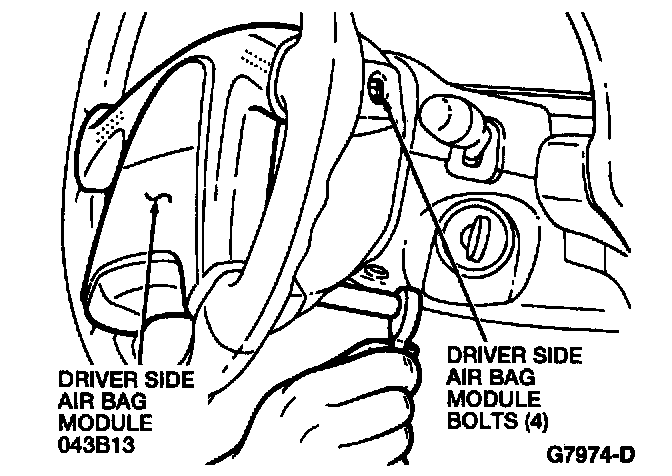
2. Remove the four drive side air bag module bolts from the back of the steering wheel.
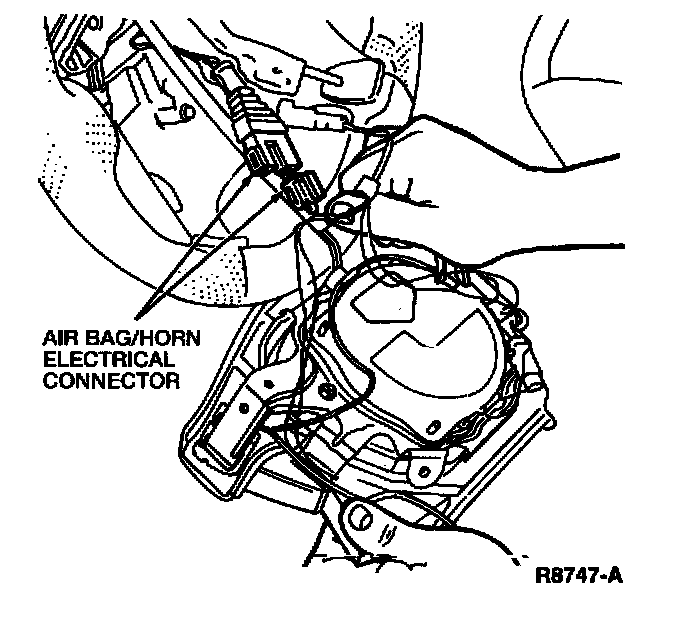
3. Disconnect the air bag/horn electrical connector.
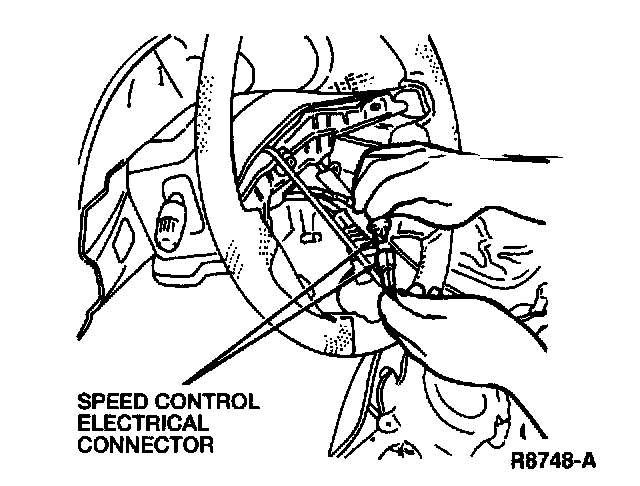
4. Disconnect the speed control electrical connector, if equipped.
5. Remove the driver side air bag module from the steering wheel.
WARNING: WHEN CARRYING A LIVE AIR BAG, MAKE SURE THE BAG AND TRIM COVER ARE POINTED AWAY FROM YOUR BODY. IN THE UNLIKELY EVENT OF AN ACCIDENTAL DEPLOYMENT, THE BAG WILL THEN DEPLOY WITH MINIMAL CHANCE OF INJURY.
IN ADDITION, WHEN PLACING A LIVE AIR BAG ON A BENCH OR OTHER SURFACE ALWAYS FACE THE BAG AND TRIM COVER UP, AWAY FROM THE SURFACE. THIS WILL REDUCE THE MOTION OF THE MODULE IF IT IS ACCIDENTALLY DEPLOYED.
6. If equipped, remove the screws and the speed control switches from the driver side air bag module.
Installation
1. If equipped, install the speed control switches on the driver side air bag module.
2. Connect the air bag/horn electrical connector.
3. Connect the speed control electrical connector, if equipped.
4. Position the driver side air bag module to the steering wheel and install the four driver side air bag module bolts. Tighten the four driver side air bag module bolts to 7-9 Nm (61-86 lb-in).
5. Connect the battery ground cable.
6. Verify that the air bag warning indicator is operative.
7. Verify that the horn sounds with the steering wheel in any position. If the horn does not sound, check that the air bag/horn electrical connector is properly connected.